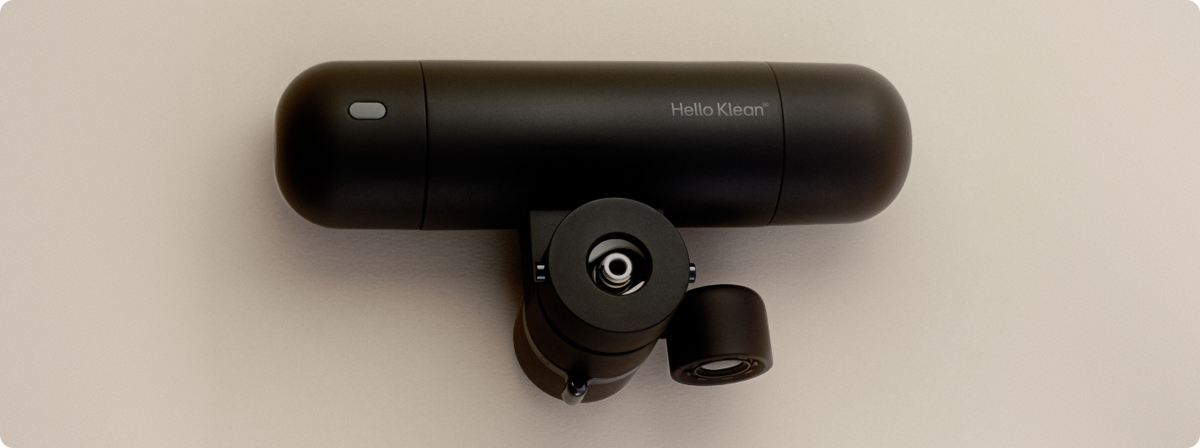
Find out your nozzle type


Does Skin Filter fit your tap?
Skin Filter fits standard, single-lever bathroom sink taps, with a round nozzle. You must have enough space to install it with at least 5.5cm clearance from your sink basin, and 9cm clearance from the tap.
Check compatibility
Please check your tap type before purchasing, using our guidelines and imagery. Skin Filter does not fit all sink and tap configurations. If you have any questions, contact us here.
 Compatible
 Compatible
 Compatible
 Compatible
 Compatible
 Compatible
 Compatible
 Compatible
 Incompatible
Incompatible nozzle positioning & distance from tap
 Incompatible
Incompatible nozzle shape & distance from tap
 Incompatible
Incompatible distance from tap
 Incompatible
Incompatible distance from tap
 Incompatible
Incompatible with detachable spout
 Incompatible
Incompatible nozzle shape
 Incompatible
Incompatible with detachable spout
 Incompatible
Incompatible with dual lever taps


How to Install Skin Filter
Watch the video to see exactly how to set up your Skin Filter. If you need some more guidance, try our full walkthrough.
Note
Don't worry if it takes a bit of trial and error to remove your old nozzle and find the right adaptor for your specific tap, particularly if you have limescale buildup.
If you've checked your tap compatibility here, the installation video and walkthrough guide should help you solve any problems you come across. Or, if you're still struggling, get in touch.
FAQs & Troubleshooting
How can I tell whether my nozzle is hidden or standard?
A hidden nozzle sits inside your tap. If you look underneath, you’ll see teeth-like grooves, which is where you align our nozzle removal tool when removing your nozzle. A standard nozzle sits externally and looks almost like a cap. You can typically twist this off by hand, although sometimes rust and limescale mean it requires a wrench or pliers to remove.
Skin Filter won’t attach to my tap, what do I do?
Firstly, check your tap is compatible with Skin Filter here. Then follow our setup guide in full, including soaking your nozzle in vinegar in case of limescale buildup, using a wrench or pliers if necessary. If using a wrench or pliers, we recommend wrapping a sock around your standard nozzle first to prevent damage to the metal.
If you’re still having trouble, contact us for support.
I can’t find the right size nozzle remover. How can I remove my nozzle?
If you have a hidden nozzle and can’t find the right size teeth on the included nozzle removal tool, use pointed pliers or tweezers and fit the tips into the nozzle holes, turning to loosen. If this doesn’t work, please contact us and we’ll provide suggestions for your specific tap.
If you have a standard nozzle and your nozzle won’t unscrew by hand, or by using the hole in the middle of the nozzle removal tool, try using a wrench or pliers. Be sure to use a cloth in between the tool and your tap, to protect the finish. If you don’t have tools, contact us and we’ll provide you with pliers.
I can’t find the right size adaptor. What should I do?
If you can’t find the right size adaptor, select the adaptor that is just smaller than your nozzle width and use the included tape to wrap around the adaptor thread. This will help provide a more snug fit. If your nozzle is smaller than all included adaptors, or the tape still isn’t providing a tight enough fit, please contact us.
My old nozzle is too stiff and won’t twist off. What can I do to loosen it?
Often, older taps have limescale or rust buildup that makes the nozzle harder to remove. We recommend soaking your tap in vinegar. Fill a sandwich bag with vinegar, then place it over your nozzle and secure it with an elastic band or hair tie. Let it soak for a few hours to help to dissolve the buildup so that you can remove the nozzle.
If you’ve tried that and you still can’t twist off your nozzle by hand, we recommend using a wrench or pliers. Don’t have tools available? Contact us and we’ll provide some.
The adaptor is fully screwed on but there’s some thread showing on my adaptor. Does this matter?
As long as there are no leaks coming out of your tap around the adaptor, this doesn’t matter. It simply means that your tap thread is not as deep as our adaptor. If this still concerns you, feel free to contact us.
Do I need a handyperson?
No, but the decision is up to you. Typically, Skin Filter can be installed by hand with the included tools in a few minutes. If you have an older tap or it has built up scale or rust, removing your nozzle to fit your Skin Filter could be more tricky.
How do I connect Skin Filter to the app?
Once you’ve downloaded the Hello Klean app (iOS only), open up the app and follow the setup prompts then place the top of your phone next to the NFC sensor (where the light is located) to connect – as if you were making a contactless payment.
Once connected, the app will start tracking water usage automatically. Sync bi-weekly or monthly to keep your insights current.
The app isn’t detecting my filter. What now?
Make sure you’ve already run water through your Skin Filter for at least a minute before connecting. Your light should be on while running the water. When trying to connect, make sure the app is prompting connection with the pop up square and blue tap symbol. Hold your phone for at least 5 seconds to allow connection to happen, placing it flat, face up, directly against your Skin Filter near where the light sits. If you’re still having trouble, please contact us.
I can’t find the app on my phone. What do I search for?
Unfortunately, our app is currently only available on iOS. If you’re an Android user, you won’t be able to connect your phone to Skin Filter (yet), but you can still see when your filter needs replacing with the SmartRefill™ Light. If you have an iPhone, you can search Hello Klean on the App Store or click here to download.
Is a small leak after installation normal?
Your Skin Filter shouldn’t be leaking, but it’s normal for water to drip out of the stream nozzles for a few seconds after turning off the tap. Make sure your adaptor is screwed on properly to your sink nozzle and the threads are straight. Ensure you hear a click when pushing your Skin Filter onto the adaptor. If there’s still a leak at the adaptor point, you can use the white tape to get a better seal. If that still doesn’t help, check for any cracks or contact us for support.
How do I switch between the two water streams?
You’ll see a small switch above your main stream nozzle. Simply slide it left for the steady stream, and right for microbubbles.
Why aren’t my lights working?
Firstly, make sure your tap is turned on at full flow. Skin Filter needs a minimum flow rate to power the hydropower unit, which allows the light system to work.
Secondly, ensure you have run water through your Skin Filter for long enough. This should be at least 1 minute on first use, if you’ve not used it for a while or if you’re refilling your filter. If you’ve done that, try resetting your Skin Filter by holding the button on your light down for 5 seconds. If that still doesn’t help and your light is still off, please contact us for support.
Why does water come out of my Skin Filter even after turning my tap off?
It takes longer for your water to run through Skin Filter’s filtration system than just straight out of your tap. It’s perfectly normal for water to drip out of the stream nozzles for a few seconds after turning off the tap. If the stream continues for longer, this is likely a tap or plumbing issue, rather than Skin Filter itself.
Still stuck? Contact us
If something’s not right with your Skin Filter, we’ll help you sort it.